Boston Herald
- 2.4
- Rating
- 50.00K
- Installs
- Free
- Price

 Analysis by App-foxy
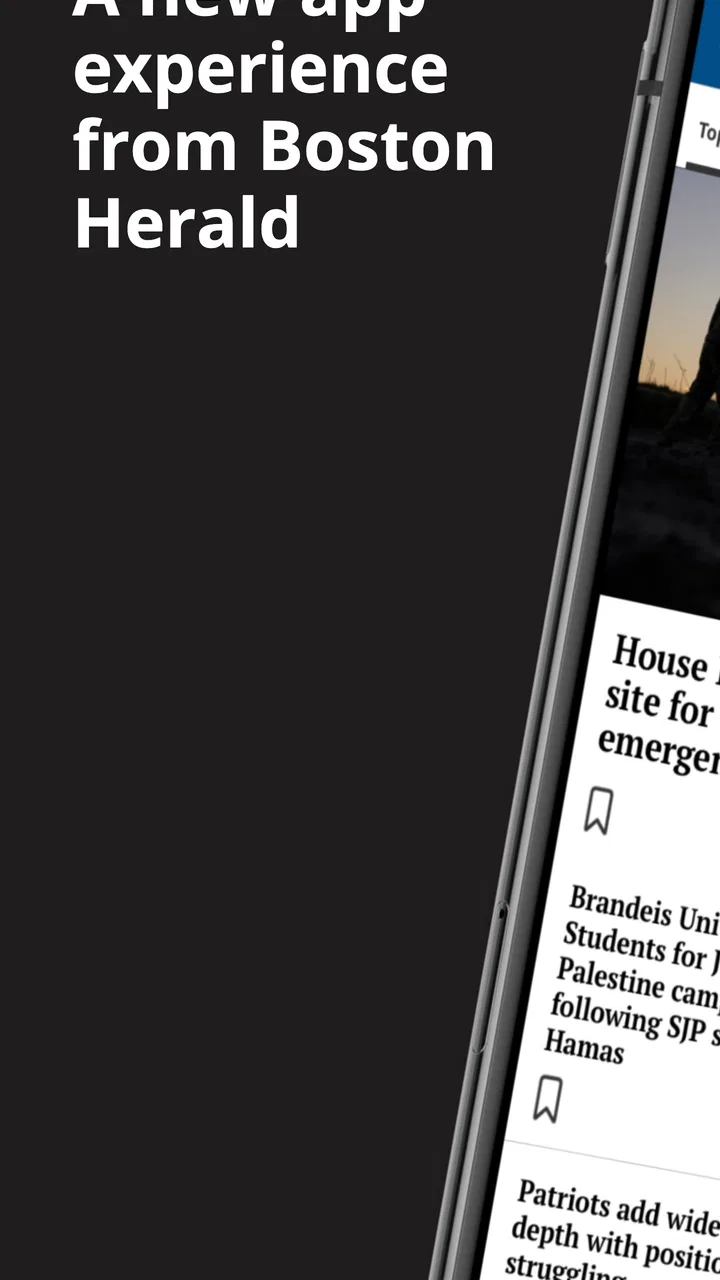
I approached Boston Herald as a practical way to keep up with Boston news rather than as a full replacement for every news source on my phone. Developed by MediaNews Group, Inc., this free News & Magazines app focuses on the Boston Herald’s reporting and gives local readers a direct place to check what is happening around the city and the wider region. After spending time with it, I think its value depends heavily on how you like to read news: it is most useful when you want a familiar local publication in a dedicated app, but less convincing if you expect a perfectly polished, all-purpose news dashboard.
The app is available to everyone and supports devices running Android 8.0 or newer. It has been around since October 22, 2010, and the current version is 10.0.60. That long history suggests an established product rather than a short-lived experiment, although longevity alone does not guarantee a smooth modern experience. The app is free to install, with in-app purchases ranging from $11.99 to $139.99 per item, so I would treat the download as an easy way to explore the reading experience while keeping an eye on which content or account actions may lead toward paid access.
How I would use it during a normal news day
My baseline workflow with Boston Herald would be simple: open it when I want a local update, scan the most relevant headlines, read the stories that affect my day, and leave rather than trying to turn the app into an endless social feed. That approach suits the app’s identity. It is centered on Boston Herald coverage, so the strongest reason to use it is not the sheer quantity of articles but the local perspective attached to the publication.
You May Also Like

 Blood Strike: 2.5 Anniversary
Blood Strike’s Loadouts Turn Every Drop Into a Tactical Gamble
A close look at Blood Strike’s custom loadouts: how fast access to signature weapons reshapes its battle royale rhythm, rewards preparation, and narrows the gap between fights.

 Pandora - Music & Podcasts
Pandora’s Music Is Easy to Start, but Harder to Recover
Pandora’s strength is its low-effort path from a seed to a station. Its weak spot is how much confidence it asks you to place in connection, setup, and quiet recovery.

 8 Ball Pool
 Is Built on Rivalries, Rematches, and Routine
A close look at the rivalries, rematches, shared routines, and unanswered safety questions that turn a quick pool match into a persistent mobile community.

 Samsung Music
’s Quiet Strength Is Playing What You Already Own
Its reach comes less from spectacle than from dependable access to a personal library. That simplicity is both the app’s strongest retention engine and its ceiling.

 AccuWeather: Weather Radar
AccuWeather Review: A Quick, Clear Forecast for Everyday Decisions
For everyday plans, the best forecast is the one you can understand quickly. AccuWeather makes rain timing, radar, and local conditions easy to act on, with a few trade-offs.

 Hill Climb Racing
Why Hill Climb Racing Still Turns Crashes Into One More Run
A tiny car, a bumpy hill and one more upgrade: Hill Climb Racing keeps resurfacing because its simple chaos makes every near-miss feel personal.
More From Our News Desk
View All News


A realistic example is a weekday morning when I need to know whether a developing local story could affect my commute, plans, or conversations at work. I would open the app before checking broader national news, look for the latest Boston-focused headlines, and read one or two articles in full instead of relying only on headline fragments. Later, I might return during lunch for updates. This repeatable habit makes more sense than opening it every few minutes, especially because a local news app is most useful when it helps me understand a place I actually live in, visit, or follow closely.
I also found that the app works best when I approach it with a question. Am I looking for a local political development, a community story, a breaking event, or general Boston coverage? Going in with that purpose reduces the temptation to judge it like a giant aggregator. A national news app may offer more topics and a broader mix of publishers, while Boston Herald gives me a narrower editorial lens. That narrower focus is a benefit when local relevance matters more than variety.
For readers who already follow the Boston Herald, the dedicated app can make checking the publication feel more intentional than searching through a browser. It places the publication in a familiar mobile setting and keeps local reading separate from email, social media, and unrelated alerts. For someone who only wants occasional Boston headlines, however, a mobile browser may be enough. Installing another app is worthwhile when the publication is part of your regular routine, not merely when you need one article every few months.
What the free download really means
The free price makes trying the app straightforward, but I would not interpret “free” as a promise that every reading situation will remain completely open. The presence of in-app purchases means the experience can include paid options. I would check the wording around any subscription or purchase screen carefully before confirming anything, particularly if I were handing the phone to a family member or using a shared device.
This is also where the app’s average rating of 2.4 from around 930 ratings becomes useful context. I would not dismiss the app solely because of that score, since ratings often combine opinions about content, account access, advertisements, updates, and device-specific behavior. Still, it is a clear reason to test the current version on your own phone before committing to a paid arrangement. The app has more than 50K installs, which shows that it has a real audience, but popularity at that level does not remove the need to decide whether its particular reading flow suits you.
My practical advice is to begin with a short trial period. Read at different times of day, see how easily you can reach the stories you care about, and notice whether the app fits your attention span. If you mainly want a quick headline check, a purchase may not be justified. If you regularly depend on Boston Herald coverage and prefer its reporting voice, the calculation is different: convenience and continuity can matter more than having every possible news source in one place.
Settings and habits that make the experience easier
I would start by checking the app’s notification behavior rather than accepting every prompt automatically. News alerts can be useful for genuinely urgent local developments, but too many interruptions quickly turn a reading tool into a distraction. If the app offers notification choices on your device or within its own controls, I would keep only the categories and timing that match my routine. A person who checks news at breakfast may not want alerts throughout the workday; someone tracking a major local story may prefer a more active approach for a limited period.
It is also worth reviewing the phone’s standard app permissions and notification settings after installation. I prefer to make these decisions deliberately, because a news app does not need to control my entire notification shade to be useful. If I later find that alerts are too frequent, I would adjust them at the system level instead of abandoning the app immediately. That small distinction matters: sometimes the problem is not the news itself but the default interruption pattern.
Account and purchase screens deserve similar attention. I would read the labels around sign-in, subscriptions, and any premium-looking prompt before tapping through. Since the app includes in-app purchases, I would also make sure the relevant store authentication is enabled on my device. This is a simple safeguard, but it is especially helpful on family tablets or phones where accidental confirmations are easier.
For comfortable reading, I would use the phone’s display settings to match the app to my eyes. Increasing text size at the system level can make long articles easier to follow, while dark mode or reduced brightness may be more comfortable at night if supported by the device and app environment. I would not assume that every visual preference is controlled inside Boston Herald itself; some improvements are better handled through Android’s accessibility and display tools.
One useful habit is to separate the app’s role from the browser’s role. I would use Boston Herald for routine scanning and direct reading, then use the browser when I need to compare a story with another source or investigate background information. This prevents the local app from becoming my only source for complex subjects. It also gives me a clearer sense of what the Boston Herald adds: local framing, familiar coverage, and a focused reading destination.
Faster patterns for repeat readers
Experienced users do not necessarily need to spend more time inside a news app; they usually make the first minute more deliberate. I would open Boston Herald with a fixed scan order: first the newest headlines, then the stories that affect my immediate plans, and finally anything worth saving mentally for a longer read. That order keeps me from spending all my attention on eye-catching items while missing practical local information.
I would also create a two-pass routine. In the first pass, I would skim headlines and short summaries to identify what changed. In the second, I would read only the articles that answer a real question or provide enough detail to matter. This is more efficient than opening every headline and backing out repeatedly. It is especially helpful on a small screen, where constant navigation can make a modest news session feel unnecessarily slow.
Another useful pattern is to check the app at natural transition points rather than whenever I feel bored. Breakfast, a lunch break, and the end of the workday are predictable opportunities. I would avoid reading while driving or in situations where an alert could pull my attention away from something important. The app is a source of information, not a reason to keep the phone in my hand all day.
When a story is developing, I would revisit the app intentionally instead of assuming that the first article tells the whole story. Local events can change quickly, and an early report may be less complete than a later update. At the same time, I would compare major claims with another reputable source before treating them as settled fact. This is not a criticism unique to Boston Herald; it is a sensible habit for any single-publication news app.
I would be cautious about using screenshots or copied headlines as a substitute for reading. A headline can be useful for deciding what to open, but it may not include the qualifications or local details that make the article meaningful. If I were sharing a story with someone, I would include enough context to explain why it matters rather than forwarding a title alone. That approach makes the app more useful for informed conversation and less useful for accidental rumor-sharing.
Where the app’s focused approach helps
The clearest strength is local identity. A broad aggregator may mix Boston stories with national politics, international news, sports from everywhere, and algorithmic recommendations. Boston Herald has a more specific purpose. If Boston is your main area of interest, that focus can reduce the work of filtering out irrelevant material.
The app may also suit readers who prefer a publication’s editorial voice over a constantly changing collection of sources. I like knowing what kind of outlet I am opening, because it gives the reading session a recognizable shape. That does not mean I would agree with every angle or use it as my only source, but it does make the app easier to place in a daily routine.
It is particularly appropriate for people who follow Boston from outside the area. Former residents, relatives, students, commuters, and people with professional ties to the city may want a local publication close at hand without building a complicated custom feed. The app can serve as a starting point for staying connected, provided the reader is comfortable with its purchase model and overall mobile experience.
On the other hand, I would point someone toward a broader aggregator if they want a single screen covering many cities and publishers. I would suggest a browser if they rarely read news or dislike installing publication-specific apps. I would also recommend using multiple sources for subjects where balance, technical detail, or national context matters more than local reporting. Boston Herald is strongest as one deliberate part of a news routine, not as a universal replacement.
Limits that become clearer with regular use
The rating history makes me cautious about recommending the app without qualification. An average of 2.4 is not a small detail, even though it cannot explain every individual complaint. I would expect some users to encounter friction related to navigation, loading, advertising, account handling, or paid content, and I would judge the current version by my own experience rather than assuming that every older review still applies.
The purchase range also changes how I evaluate the app. Someone looking only for occasional headlines may find the free installation sufficient, while a committed reader may need to consider whether the available paid option matches their reading habits. I would never start a subscription simply because a prompt appears while I am trying to open an article. I would first understand what the payment unlocks, how often I expect to use the app, and whether the same information is already available through another arrangement I have.
There is a trade-off between focus and breadth. A Boston-centered publication can feel refreshingly relevant, but it will not replace a national outlet, a specialist source, or a local service designed for a different kind of information. If I needed extensive personalization across many subjects, I might prefer an aggregator. If I needed deep archival research, I would likely use a browser and several sources. The app’s value is clearest when the Boston Herald itself is the destination.
I would also avoid judging the app solely by how quickly I can skim it. News is not always best consumed as a stream of short cards. If the interface encourages rapid hopping between headlines, I would deliberately slow down for important stories and read the full article. That is both a reading limitation and a user-choice issue: the app can present information, but I still need to decide whether I am browsing casually or trying to understand something accurately.
Device compatibility is reasonably accessible for older Android hardware because the minimum requirement is Android 8.0, but an operating-system requirement does not guarantee identical performance on every phone. I would keep the app updated to the current version shown in the store and leave enough free storage for normal app operation. If the experience became unreliable, I would test the same publication in a browser before deciding that the journalism itself was the problem.
Privacy-conscious readers should make their own comfort level part of the decision. I would review the app’s permission prompts and notification access, then disable anything I do not need. I would also avoid signing in on a public or shared device unless I could protect the account afterward. These steps do not make the app better editorially, but they make the overall setup more controlled.
Who should install it
I would recommend Boston Herald to someone who wants a dedicated route to Boston news, values the publication’s local focus, and is willing to evaluate the free and paid parts of the experience carefully. It is a sensible choice for a Boston resident who checks local coverage daily, a commuter who wants city-specific updates, or an out-of-town reader who follows the area closely.
I would be more hesitant for a reader who wants a completely free, ad-free, highly customizable news hub or who expects one app to cover every subject and location. That person may be happier with a general aggregator, a browser-based routine, or a combination of several publications. I would also suggest skipping the installation if you rarely read Boston news; the app’s focused purpose will not add much value if the city is not part of your everyday interests.
For families, I would set expectations before installing it. The Everyone age rating makes it broadly accessible, but that does not mean every news topic will be suitable for every child at every moment. I would manage notifications and purchases through the device settings and explain that headlines can lead to serious or upsetting subjects. The age label is helpful, but active supervision remains sensible.
My verdict after building a repeatable routine
Boston Herald is a focused local-news app with a clear reason to exist: it puts Boston Herald coverage into a dedicated mobile experience. I appreciate that clarity. When I use it with a defined routine—brief headline scan, selective full reading, controlled notifications, and occasional comparison with other sources—it becomes a useful part of my day rather than another noisy feed.
My reservation is that the app asks users to tolerate some uncertainty around the overall experience and paid access. The average rating of 2.4 should encourage a careful trial, not an automatic rejection, while the in-app purchase range means I would inspect every payment screen before proceeding. The free download lowers the risk of testing it, but I would not promise a perfect experience to a friend without first asking how much they value Boston-specific reporting.
The best way to use this app is as a deliberate local-news checkpoint, not as your only source of information. Keep alerts limited, read beyond the headline when a story matters, revisit developing coverage with purpose, and use another source when you need broader context. With those habits, the app’s narrow focus becomes its main advantage. Without them, a browser or broader news reader may be the better fit.
Overall, I would recommend trying it if Boston news is genuinely part of your routine and you prefer the Boston Herald’s perspective. I would skip it if you want a universal news platform or have no interest in maintaining a publication-specific app. It is free to start, available to a wide range of Android users, and potentially useful for local readers, but its real value comes from consistent habits and realistic expectations rather than from installing it alone.
FAQs for Boston Herald
01What is the Boston Herald app used for?
The Boston Herald app is designed to keep readers updated with news from Boston, Massachusetts, and beyond. It typically covers local politics, crime, business, sports, entertainment, opinion, and breaking stories. After installing it, users can browse articles, follow major headlines, and check the latest updates in a mobile-friendly format rather than relying only on the newspaper’s website.
02Is the Boston Herald app free to download and use?
Downloading the Boston Herald app is generally free on supported Android and iOS devices, but access to all articles may depend on the publication’s subscription policy. Some stories can be available without payment, while premium content, unlimited reading, or special features may require a digital subscription. Check the current terms shown in the app before subscribing.
03Does the Boston Herald app require a subscription?
A subscription may be required to read beyond a limited number of articles or to unlock the complete digital news experience. The exact access rules can change, so users should review the subscription options displayed in the app or on the official Boston Herald website. If you subscribe, also check renewal pricing, billing frequency, and cancellation conditions.
04Can I receive breaking-news notifications from Boston Herald?
The app may support push notifications for breaking news, important local developments, sports updates, and other selected topics. Notifications can usually be enabled or disabled through the app or your device settings. If you prefer fewer interruptions, it is worth reviewing notification categories after installation so that only the alerts most relevant to you remain active.
05Does the Boston Herald app work offline?
The Boston Herald app primarily depends on an internet connection to load current articles, images, and breaking updates. Some content may remain temporarily available through cached pages, but users should not assume that the complete newspaper can be read offline. For the best experience, use Wi-Fi or a reliable mobile data connection, especially when loading multimedia content.
Pros
- Clear coverage of Boston and New England news
- Includes sports reporting for local teams
- Offers opinion
- lifestyle
- and entertainment content
- Website is easy to browse on mobile devices
- Useful for readers seeking regional perspectives
Cons
- Many articles may require a paid subscription
- Some content can be limited outside the Boston area
- News notifications may feel excessive for some users
- Coverage can reflect a strongly local viewpoint
- App performance may vary on older mobile devices

Boston Herald
Gallery